Last updated: November 25, 2026
Disclosure: Redocly publishes this comparison and appears on the list. We credit competitors for their real strengths and recommend them whenever they fit a team better than Redocly. Every price below comes from the vendor's own pricing page, linked in each section, as of the date above. If you spot something out of date, tell us and we'll fix it.
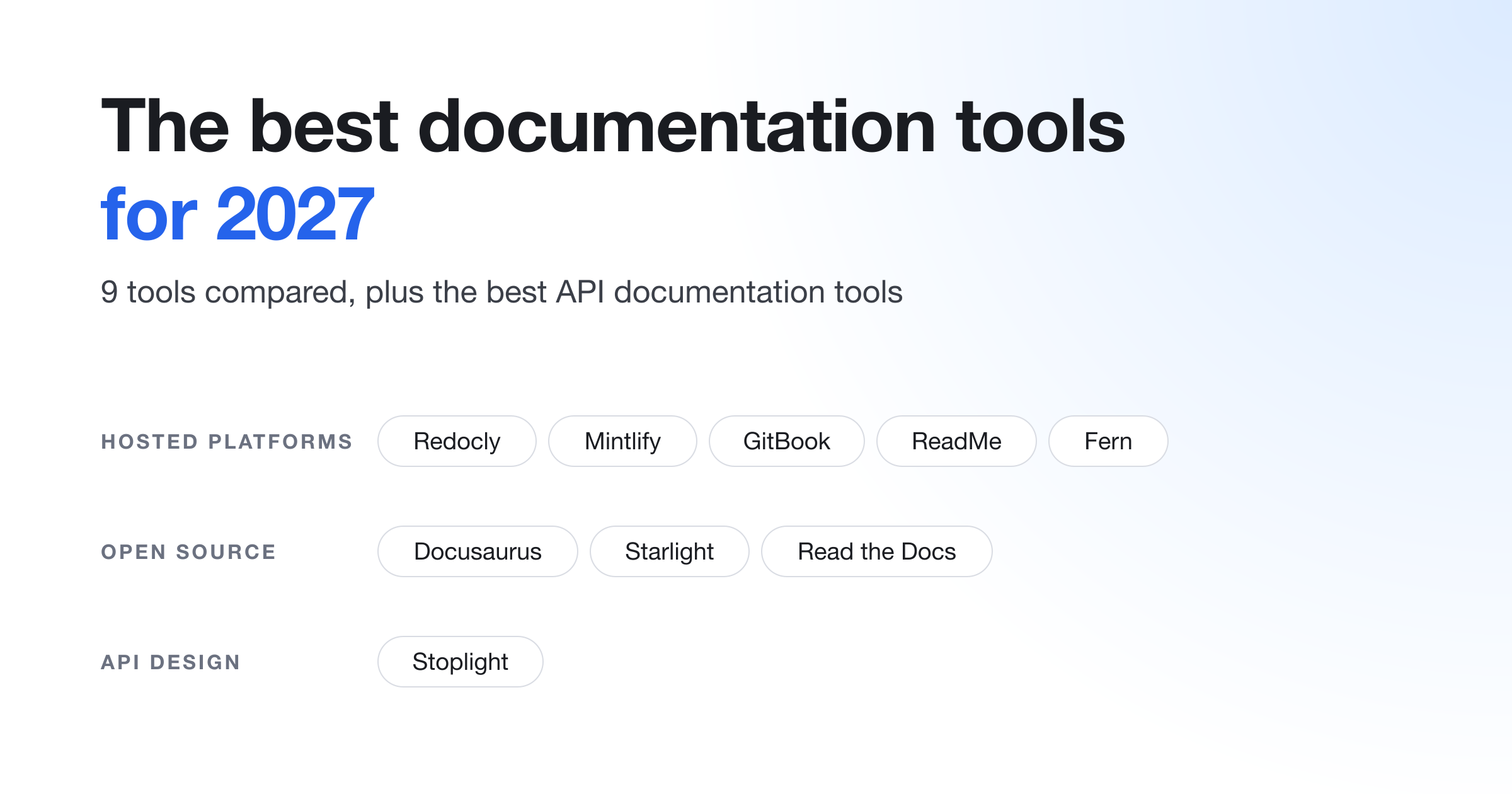
- Redocly: best for API documentation at scale, with many APIs, OpenAPI, AsyncAPI and Arazzo, governance, an API catalog and enterprise developer portals. From $249/month with unlimited seats.
- Mintlify: best all-around pick for startups and developer-tool teams that want a clean docs site fast. Free plan; Pro is $450/month.
- GitBook: best for mixed teams of writers, PMs and engineers, and for product docs combined with a knowledge base. From $65/site/month.
- ReadMe: best for API-first SaaS companies that want interactive references and per-developer API usage data. Free plan; Pro is $250/month.
- Fern: best for generating SDKs and API docs from one definition. Free docs plan; now part of Postman.
- Docusaurus: best free, open-source framework for teams with React skills that want full control.
- Starlight: best free option for a fast, Astro-based docs site with strong defaults and little setup.
- Read the Docs: best hosting for open-source and library docs built with Sphinx or MkDocs. Free for open source; Business from $50/month.
- Stoplight: a design-first API tool, now part of SmartBear. Fine if you're already a SmartBear customer; risky as a new long-term bet.
- What to look for in a documentation tool
- How we evaluated
- The best documentation tools for 2027
- Hosted docs platforms: Redocly, Mintlify, GitBook, ReadMe, Fern
- Open-source frameworks and hosting: Docusaurus, Starlight, Read the Docs
- API design tools: Stoplight
- The best API documentation tools and developer portals
- Redocly vs. Mintlify
- Comparison table
- Which tool fits your team
- FAQ
- Sources
"Documentation tool" covers everything from a static site generator to an enterprise developer portal. Nine criteria separate them going into 2027:
- Authoring model. Docs-as-code (Markdown in Git, pull requests, CI) suits engineering teams. A visual web editor suits writers, support and product teams. The best tools let both groups work on the same content.
- API reference support. If you publish an API, check which formats the tool renders (OpenAPI, AsyncAPI, GraphQL, SOAP), whether it has an interactive "try it" console, and how it handles many APIs and many versions.
- AI readiness. Developers often ask an AI assistant before opening your docs. Look for on-site AI search, an MCP server for AI clients, and clean Markdown or
llms.txtoutput. Check which plan includes each feature. - Agent readiness. Coding agents such as Claude Code, Codex and Cursor now write and update a growing share of docs. Check whether the vendor publishes agent skills that teach those agents its config, content format and CLI, so an agent can preview, lint and open a pull request without guessing. Mintlify does this well:
mint agent setupinstalls its skills and an admin MCP server. Redocly publishes the Redocly plugin for Claude Code, Codex and Cursor, with seven skills covering authoring, API reference docs, Redocly CLI, lint rules and Markdown linting; other agents install them withnpx skills add https://redocly.com. - Quality and governance. Linting, link checking, style rules and API governance keep docs correct as they grow. For API teams, breaking-change detection and contract testing matter as much as rendering.
- Access control. Public docs, gated partner docs and internal docs often live side by side. Check SSO, role-based access control (RBAC), and whether AI features respect those permissions.
- Scale. A setup built for ten pages and one API often breaks at ten thousand pages or two hundred APIs. Check how pricing grows with seats, sites, projects and pages.
- Customization and ownership. Can you change the layout, add custom components, and move your content out later?
- Total cost. Include seats, add-ons (AI is often one), hosting, and the engineering time an open-source tool needs.
- Sources. We read each vendor's current pricing page and product documentation in November 2026 and link to them below. Where a vendor doesn't publish prices, we say so instead of guessing.
- Our bias. We build a documentation platform, so we know this space well and have an obvious bias. To keep it in check, we base feature and pricing claims on what each vendor publishes.
- Same template for every tool. Each entry has the same five parts: Best for, What it is, Pros, Cons and Pricing.
- Ordering. The main list groups tools by category. We put Redocly first because it's our product; the rest of each group is ordered by broad fit. The API section ranks the API tools separately.
- What we left out. We excluded internal wikis such as Confluence and Notion: they work well for internal docs, but they don't render API references or support docs-as-code, so most teams pair one with a dedicated docs tool. We also excluded help-desk knowledge bases (Zendesk, Intercom, Document360) and diagramming tools. Scalar, Theneo and Apidog are worth checking for API references, though they don't have full entries here.
Hosted docs platforms
Best for: API-first organizations and platform teams managing many APIs that need governance, an API catalog and a docs-as-code developer portal in one place.
What it is: a docs-as-code platform for API documentation and developer portals. It renders OpenAPI, AsyncAPI, GraphQL and SOAP (WSDL) references next to Markdown guides, with versioning, mock servers, React customization and (on Scale) multi-product sites. Content lives in Git (GitHub, GitLab, Bitbucket or Azure DevOps) with a preview deployment for every pull request. The browser editor previews the whole site from uncommitted changes and includes commit history, git blame and the full pull-request flow. Redocly also maintains two open-source tools: Redoc CE, an API reference renderer with around 1.5 million weekly npm downloads and 25k+ GitHub stars (version 3.0 shipped in October 2026), and Redocly CLI for linting OpenAPI, AsyncAPI and Arazzo descriptions.
Pros:
- Built for many APIs: multiple versions and, on Scale, multi-product sites and an API catalog with scorecards that check every API against your standards on every change.
- Broad format support, including AsyncAPI, GraphQL and SOAP, plus Arazzo workflows for testing API sequences with Respect.
- Unlimited seats, readers, Git contributors and pages on every plan, so cost doesn't grow with your team.
- AI search, a Docs MCP server and the Reviewer agent ship on every paid plan, including Pro (see Redocly AI features in detail).
- Fine-grained access control: RBAC down to individual OpenAPI operations and fields, SSO via SAML or OIDC, and AI answers scoped to what each reader can access.
- Extensible with React pages, reusable components inside Markdown, server-side API functions, and targeted banners.
- Developer self-service with Apigee (Enterprise, experimental): developers register apps, get API keys, request access to API products and use their own key in Try it, all from your portal (Apigee onboarding).
- GitHub, GitLab, Bitbucket and Azure DevOps on every plan; Scale adds remote content from other repositories, URLs or CI pushes.
Cons:
- No free hosted plan, only a 30-day trial. The free open-source tools (Redoc CE and Redocly CLI) omit the platform's "try it" console and mock server; Redoc CE renders API references only.
- Overkill for a small product with one API and a few guides; Mintlify or GitBook gets you live faster.
- SSO and the API catalog start on Scale ($729/month); project-level RBAC is Enterprise or a Scale add-on.
- AI features are in beta under fair-use limits and aren't billed today; we will announce usage-based pricing at least 60 days before general availability.
- The visual editor is less approachable for non-technical writers than GitBook's.
Pricing: Pro $249/month ($2,988/year) with 3 projects; Scale $729/month ($8,748/year) with 10 projects; Enterprise custom with unlimited projects (Redocly pricing).
Best for: startups and developer-tool companies that want a clean, AI-ready docs site with minimal setup.
What it is: a hosted documentation platform with Git sync, a web editor and an API playground. Content is MDX in your repository; Mintlify builds and hosts the site. It renders OpenAPI, AsyncAPI and GraphQL references and generates llms.txt and llms-full.txt for AI tools.
Pros:
- Polished default themes that let you launch in an afternoon.
- MCP server and Git sync on every plan, including Free.
- Pro includes an AI assistant for readers and a writing agent for your team.
- Both a Git workflow and a web editor, so engineers and writers can share content.
Cons:
- Steep price jump from Free to Pro ($450/month). SSO, reader groups, search filters, multi-repo content, Bitbucket Cloud and Azure Repos sync require Enterprise.
- Built around a single product's docs; Mintlify's docs list no API linting, API catalog or contract testing for multi-API programs.
- Less layout customization than an open-source framework.
Pricing: Free plan; Pro is $450/month billed annually or $540/month monthly with unlimited editors; Enterprise is custom (Mintlify pricing).
Best for: teams where non-engineers write a large share of the docs, and companies combining product docs with a knowledge base.
What it is: a hosted docs and knowledge platform with a block-based visual editor and two-way Git Sync to GitHub or GitLab. It publishes auto-updating API docs from OpenAPI, and every plan includes an MCP server and llms.txt.
Pros:
- Most approachable visual editor on this list; PMs and support staff can contribute right away.
- Git Sync lets engineers keep working in pull requests while writers use the editor.
- Adaptive content (on Ultimate) personalizes docs per reader.
- AI Assistant for readers, from "Ask" on Essential to "Ask and Chat" on Ultimate, and a GitBook Agent that flags stale content for review.
Cons:
- Pricing stacks per site and per user ($12/user/month extra), so costs climb as you add sites or editors.
- SAML SSO is Enterprise-only; lower plans offer email-domain sign-in.
- OpenAPI references work well for one or two APIs, but GitBook lacks API governance, linting and a catalog.
- Translations and AI usage draw from monthly AI credits.
Pricing: Free (1 user); Essential $65/site/month annually ($79 monthly); Ultimate $249/site/month annually ($299 monthly); Enterprise custom (GitBook pricing).
Best for: API-first SaaS companies that want an interactive reference paired with per-developer API usage analytics.
What it is: a hosted developer hub that turns an OpenAPI description into a "dynamic API Reference with code samples and auth handling," plus guides, recipes (step-by-step code walkthroughs) and a changelog. Its main differentiator is API usage data, tracking calls and errors per developer (ReadMe).
Pros:
- Familiar interactive API explorer.
- Per-developer API metrics tie docs to live usage for support and developer relations teams.
- Bi-directional Git sync with GitHub and GitLab.
- MCP server and
llms.txton the free Starter plan; ReadMe Agent and an AI linter on Pro.
Cons:
- "Ask AI" for readers is a $150/month add-on on Starter and Pro.
- Starter allows one version and keeps 24 hours of request history unless you pay $100/month for more.
- SSO requires Enterprise.
- Less suited to large portfolios of APIs or non-API content.
Pricing: Starter $0/month; Pro $250/month billed annually; Enterprise by quote (ReadMe pricing).
Best for: API teams that want to generate client SDKs and API docs from one definition.
What it is: an SDK generator and docs platform that reads OpenAPI and other API descriptions and outputs SDKs in up to ten languages plus a hosted docs site. Postman acquired Fern in January 2026; Fern says the product and brand continue.
Pros:
- One definition drives SDKs, reference docs and code samples, so they stay in sync.
- Free docs plan includes 10 members, a custom domain, Ask Fern AI search with 250 AI credits per month, an MCP server and
llms.txt. - Enterprise includes SSO, RBAC and self-hosting.
- Higher allowances for Postman Team customers.
Cons:
- No middle tier between Free and custom-priced Enterprise.
- Paid SDK generation is priced per SDK, which adds up across languages.
- Now part of Postman, so check how packaging evolves before you commit long-term.
- Focused on API reference; general product docs and knowledge bases are secondary.
Pricing: Docs Free $0/month; Docs Enterprise custom; SDKs free for Python and TypeScript up to 200 endpoints, Enterprise priced per SDK (Fern pricing).
Open-source frameworks and hosting
Best for: React-capable engineering teams that want a free, fully customizable docs site and will manage their own hosting.
What it is: an open-source static site generator from Meta. You author in MDX and get document versioning, built-in i18n, a blog and Algolia search support. The current release is 3.10.
Pros:
- Free and open source, backed by a large community and plugin ecosystem.
- First-class versioning and i18n.
- Full control over layout and behavior because the site is a React app.
Cons:
- You own everything around it: hosting, search, analytics, access control, AI search and MCP.
- API references need community plugins.
- Non-engineers can't contribute without learning Git and MDX.
Pricing: free; you pay for hosting and engineering time (Docusaurus).
Best for: teams that want a fast, free docs site with good defaults and less setup than Docusaurus.
What it is: an open-source (MIT) documentation theme built on the Astro web framework. It ships with Pagefind full-text search, built-in i18n, dark mode, Markdown and MDX support and a set of docs components, and you can bring your own React, Vue, Svelte or Solid components.
Pros:
- Search, navigation, i18n and code highlighting work with no configuration.
- Fast, accessible static sites, since Astro ships little JavaScript by default.
- A large plugin catalog, including community plugins for OpenAPI references, versioning,
llms.txtand Ask AI.
Cons:
- Still pre-1.0; its own docs call it beta software with frequent updates.
- No built-in versioning, API reference or AI features; each needs a community plugin.
- Like Docusaurus, you own hosting, access control and AI search.
Pricing: free; you pay for hosting and engineering time (Starlight).
Best for: open-source projects and libraries that need automated, versioned builds.
What it is: a build and hosting service that publishes versioned, searchable docs from your repository on every commit. It supports Sphinx and MkDocs out of the box, and other generators through custom build commands.
Pros:
- Free for open-source projects.
- Automatic builds per branch and tag; versioned docs with no extra work.
- Business plans add private docs, more build concurrency and custom domains.
Cons:
- Community hosting is ad-supported.
- It builds and hosts docs; writing, theming and structure are up to your generator.
- SAML SSO is on Enterprise (from $10,000/year).
Pricing: Community free for open source; Business Basic $50/month, Advanced $150/month, Pro $250/month, Enterprise from $10,000/year (Read the Docs pricing).
API design tools
Best for: existing SmartBear customers who design OpenAPI descriptions visually and want docs and mocks from the same tool.
What it is: a design-first API platform with a visual OpenAPI editor, style guides (built on Spectral), mock servers (Prism) and hosted docs. SmartBear acquired Stoplight in 2023 and has been folding its capabilities into its own API platform.
Pros:
- A friendly visual editor for people who don't want to write YAML by hand.
- Spectral and Prism are popular open-source tools.
- Design, mock and document in one place.
Cons:
- Product direction depends on SmartBear's consolidation. Outside observers note that work on Stoplight appears to be slowing.
- Charges per logged-in user.
- Docs customization and AI features lag the dedicated docs platforms.
Pricing: Basic $44/month annually (3 users); Startup $113/month (8 users); Pro Team $362/month (15 users); Enterprise custom; 14-day trial (Stoplight pricing).
API documentation is a different job from product docs. API references must stay synced with their source descriptions across every version. Past a handful of APIs, rendering stops being the hard part; keeping 50 APIs consistent, discoverable and accurate takes over. AI agents also need clean, machine-readable references so they can answer developer questions reliably.
Five questions separate API documentation tools in practice:
- Is OpenAPI the source of truth? The reference should be generated from the API description, not retyped next to it.
- Does it fit docs-as-code and CI? API descriptions change with code, so docs should go through the same pull requests and checks.
- Can it grow into a developer portal? Look for guides, onboarding and multi-audience support beyond a single reference page.
- Does it govern APIs as they multiply? Linting, breaking-change checks and a catalog matter more at 50 APIs than at 2.
- Is it ready for AI agents? An MCP server and clean Markdown let AI tools pull directly from your API reference.
Here's how the tools rank for API documentation and developer portals specifically:
- Redocly: built for multi-API portfolios, multiple API formats, API governance and enterprise developer portals.
- ReadMe: leads for a single public API when developer usage analytics are a priority.
- Fern: stands out when SDK generation matters as much as reference docs.
- Mintlify: fits a single-product docs site that includes an API reference.
- Stoplight: viable for design-first teams already standardized on SmartBear.
For a single OpenAPI description, an open-source renderer may be enough: Redoc CE, Swagger UI, or Scalar, which also targets agents, MCP and SDKs. One to watch: in September 2026 Cloudflare open-sourced Forge, a CI pipeline that generates SDKs, CLIs and docs from OpenAPI. It's early: today it produces Cloudflare's own cf CLI, and its docs output isn't broadly available yet. If you publish one API and prioritize visual design and launch speed, Mintlify or ReadMe gets you live faster. Redocly fits best when managing the API program itself is the bottleneck:
- Many APIs and versions. Multi-product sites, versioned API references, and an API catalog with filterable metadata so internal and external developers can find the right API.
- Every major format. OpenAPI, AsyncAPI, GraphQL and SOAP references on one site, plus Arazzo for multi-step workflows.
- Governance before publishing. Redocly CLI lints OpenAPI, AsyncAPI and Arazzo with built-in and custom rule sets in CI, scorecards track every API against your standards, and Respect tests that live APIs match their descriptions.
- Docs-as-code by default. API descriptions, guides and config stay in Git with pull-request previews instead of a proprietary editor.
- Enterprise portals. SSO with SAML or OIDC, RBAC for internal, partner and public audiences, unlimited seats, and (experimental, on Enterprise) Apigee self-service for apps, API keys and access requests.
Redocly's core AI features ship on every plan, starting with Pro, and each has public documentation. Some comparison articles still call them Enterprise-only or thinly documented, which is out of date:
- AI search and AI assistant (all plans, beta). Readers get answers with links to the source pages. The assistant indexes OpenAPI, GraphQL, AsyncAPI, SOAP and Markdown, scopes answers to the reader's current API version and product, and enforces RBAC. Analytics show which questions people ask and how they rate answers.
- Embeddable AI assistant (Scale and Enterprise). Drop the same assistant into your app, dashboard or support portal with one script tag using the web component, generally available since November 2026. It goes beyond answering questions:
- Page context. Your app passes what the user is looking at, such as the screen, plan or last error, so they don't have to explain it.
- Custom tools. Register functions from your page so the assistant can act for the user, with an approval step for tools that change data (web component docs).
- Your APIs as the signed-in user. The assistant can call allowed APIs from the user's browser with their own session.
- Protected content. Identity tokens let it answer from login-protected docs while respecting each user's RBAC teams.
- Support escalation (Enterprise). A Contact support button sends the conversation to your support team by email.
- Reviewer (all plans, beta). Reviewer is an AI agent that inspects every pull request before human review and posts inline comments on GitHub, GitLab, Bitbucket or Azure DevOps. It checks API descriptions for errors and breaking changes, verifies docs against their OpenAPI descriptions, flags OWASP API Security Top 10 issues, checks cross-document consistency and validates Redocly config.
- Writer (Enterprise, early access). Redocly Writer is an AI agent that keeps docs current. It turns what readers ask the AI assistant, search for and report in page feedback into draft pull requests, fact-checked against your source code. It also learns from your support team: connect Front or ClearFeed, with Intercom coming soon, and when a conversation is resolved, the Writer adds the answer the docs were missing. It never merges its own pull requests, and it replies to review comments and fixes failed checks.
- Docs MCP server (all plans). Every project exposes an MCP server at
/mcp, and opening/mcpin a browser shows a setup page with one-click install for popular clients. Claude, Cursor, VS Code, Codex and ChatGPT can search docs, list APIs, read endpoint details and fetch agent skills, with RBAC enforced on every call. Its code mode lets the agent write a short script to chain calls, cutting LLM cost by up to 80% compared with direct tool calls in our tests (savings are smaller on simple lookups). - Custom MCP tools (Scale and Enterprise). Add custom tools to the MCP server so agents can run product-specific actions.
- Agent-readable output (all plans). Redocly generates
llms.txtand clean Markdown versions of every page, including OpenAPI code and response samples. Pages include actions to copy Markdown or ask ChatGPT or Claude directly. Projects also publish MCP server and A2A agent cards for discovery, plus WebMCP tools for browser-based AI agents.
Server logs show AI retrieval bots rarely fetch llms.txt, so the MCP server and per-page Markdown do most of the work for agents.
AI usage currently runs under beta fair-use limits and doesn't appear on invoices today (the embeddable web component itself is GA). See Make docs AI ready for the full list and the AI governance FAQ for security questions.
For a tour of every AI feature, see Redocly AI features.
Mintlify is the tool Redocly gets compared with most, so here's the head-to-head. Choose Mintlify if you document one product, want a free plan to launch fast, and have a team comfortable writing MDX. Choose Redocly if you need granular access control, multiple products or APIs, flexible Git provider support or deeper customization:
| Capability | Redocly | Mintlify |
|---|---|---|
| AI assistant | Included from Pro at $249/month (beta, not billed today). | Included from Pro at $450/month (annual), with 10,000 credits a month; each answer costs 25 credits. |
| Embeddable AI assistant | Scale and up: a drop-in web component with page context, custom tools that act in your app, API calls as the signed-in user and answers from protected docs; email support escalation on Enterprise. | Pro and up: an assistant API to build your own chat interface. Its docs don't cover custom tools or page context. On the docs-site assistant, support routing offers email or a link, plus Zendesk or Plain ticketing on Enterprise. |
| Writing agent | Enterprise (early access): Redocly Writer drafts pull requests from AI assistant questions, searches, page feedback and resolved support conversations in Front or ClearFeed (Intercom coming soon), checks them against your source code and follows up on review comments. | Pro and up: the Mintlify agent drafts changes and opens pull requests from Slack, the web editor or the dashboard. |
| MCP server | MCP server with code mode on every plan; custom MCP tools on Scale and up. | Fixed tools on every plan: search, a docs filesystem and feedback. |
| Reader access control | Enterprise, or a Scale add-on: project-level RBAC for pages, navigation and individual OpenAPI operations, parameters and schemas (x-rbac). Also strips restricted content from downloadable OpenAPI files, AI answers, search and MCP. | Enterprise only: reader groups and per-operation personalization. Downloadable OpenAPI files aren't filtered by group. |
| API formats | OpenAPI, AsyncAPI, GraphQL and SOAP, with decorators to transform descriptions at build time. | OpenAPI, AsyncAPI and GraphQL, with OpenAPI Overlays to change a spec you don't own. |
| API content inside guides | Markdoc tags embed a Replay "try it" console and OpenAPI code samples, generated from your API description, on any page. | API playground on endpoint pages; elsewhere, hand-written request and response examples. |
| Web editor | Every plan. A Webview of the whole site from uncommitted changes, commit history with git blame, and the full pull-request flow: open, review and merge, with a preview deployment per pull request. | Every plan. A visual and source editor with live site preview, branches, diffs and merge-and-publish; reviewers approve in the Git provider. Preview deployments need Pro. No commit history or blame view documented. |
| Coding-agent support | The Redocly plugin for Claude Code, Codex and Cursor installs seven agent skills and the Docs MCP server; npx skills add https://redocly.com works in other agents. | mint agent setup installs Mintlify skills and an admin MCP server in Claude Code, Codex or Cursor; the Mintlify writing agent is on Pro. |
| API gateway self-service | Enterprise (experimental): Apigee plugin for app registration, API keys, team apps, access requests with approvals, and the developer's key in Try it. | No gateway integration documented; playground credentials come from the OpenAPI security schemes. |
| Git providers | GitHub, GitLab, Bitbucket and Azure DevOps on every plan. | GitHub and GitLab; Bitbucket Cloud and Azure Repos require Enterprise. |
| Content from other sources | Scale and up: remote content pulls files from other repositories on any supported Git provider or from URLs, or accepts content pushed from CI/CD. | OpenAPI and AsyncAPI from a URL on the next build; multi-repo requires Enterprise or a GitHub Action. |
| Customization | React pages (.page.tsx) on every plan; custom Markdoc tags and server-side API functions on Scale and up. | Custom React components on every plan; Mintlify's docs list no server-side functions. |
| Path prefix | Serve from a prefix such as /docs with one environment variable. | Subpath hosting via Mintlify's domain setup or your own proxy; authentication isn't supported on subpaths. |
| Banners | Targeted by page pattern and RBAC team. | One site-wide banner, optionally one per language. |
One broader difference: on Scale and up, a single Redocly project can host multiple products, each with its own navigation and product-scoped AI search.
| Tool | Best for | Authoring | API formats | AI search for readers | MCP server | SSO | Starting price |
|---|---|---|---|---|---|---|---|
| Redocly | Many APIs, governance, enterprise portals | Git + web editor | OpenAPI, AsyncAPI, GraphQL, SOAP; Arazzo linting and testing | All plans (beta) | All plans | Scale and up | $249/mo, 30-day trial |
| Mintlify | Startup and dev-tool docs | Git + web editor | OpenAPI, AsyncAPI, GraphQL | Pro | All plans | Enterprise | Free; Pro $450/mo |
| GitBook | Mixed teams, knowledge + docs | Visual editor + Git Sync | OpenAPI | Essential and up | All plans | SAML on Enterprise | Free; $65/site/mo |
| ReadMe | Single public API with usage analytics | Web editor + Git sync | OpenAPI | $150/mo add-on | All plans | Enterprise | Free; Pro $250/mo |
| Fern | SDKs + API docs | Git | OpenAPI and others | All plans (credits) | All plans | Enterprise | Free; Enterprise custom |
| Docusaurus | Custom open-source sites | Git (MDX) | Via plugins | Build your own | Build your own | Self-managed | Free |
| Starlight | Fast Astro-based sites | Git (Markdown, MDX) | Via plugins | Via plugins | Via plugins | Self-managed | Free |
| Read the Docs | Open-source library docs | Git (Sphinx, MkDocs) | Via your generator | Not stated | Not stated | Enterprise (SAML) | Free for OSS; $50/mo |
| Stoplight | Design-first APIs (SmartBear) | Visual editor + Git | OpenAPI | Not stated | Not stated | Not stated | $44/mo |
"Not stated" means the vendor's pricing page doesn't say. Plans and limits change often; check the linked pricing pages before you buy.
Start with your biggest documentation bottleneck today:
- Developers struggle to read your API reference: prioritize OpenAPI rendering.
- Writers and engineers trip over each other: prioritize docs-as-code collaboration and previews.
- Nobody can list all of your APIs: start with an API catalog.
- Multiple teams struggle to keep docs and APIs consistent: enforce linting and access control.
- AI assistants already answer questions about your product: publish an MCP server and well-structured docs.
Then match your team to a tool:
- You're a startup launching developer docs for one product: start with Mintlify. If budget is tight and you have engineers to spare, Docusaurus or Starlight.
- Writers, PMs and support write most of the docs: GitBook.
- You publish one public API and want usage insights: ReadMe.
- You need SDKs in several languages: Fern, especially if you already use Postman.
- You manage many APIs, non-OpenAPI formats (AsyncAPI, GraphQL, SOAP), API governance or an enterprise portal for internal, partner and public audiences: Redocly, for its API catalog, multi-product sites, SSO, RBAC, Apigee self-service and unlimited seats.
- You maintain an open-source library: Docusaurus, Starlight or Sphinx, with Read the Docs for free versioned builds.
- You already standardized on SmartBear: Stoplight works, but plan for SmartBear's consolidation.
Many teams pair a public docs platform with an internal wiki such as Confluence or Notion, which works as long as every topic has one source of truth.
Before committing to a tool, test your shortlist on real authoring and publishing tasks. At Redocly, we run weekly walkthroughs of real customer workflows, a program called Phronesis that we credited with a 630% rise in our own free-trial conversion when we wrote about it in early 2025.
The right choice depends on your team and docs scope. Mintlify fits startups and developer products that want fast setup, GitBook suits mixed teams with non-technical writers, Redocly handles API documentation at scale, and Docusaurus leads among free open-source frameworks.
Choose Redocly for large API portfolios, multi-format API descriptions (OpenAPI, AsyncAPI, GraphQL, SOAP) and automated governance. Choose ReadMe for a single public API when per-developer usage analytics matter most. Choose Fern when you want client SDKs generated alongside your reference docs.
Redocly fits multi-API internal and external developer portals, combining API references, guides, an API catalog, SSO and RBAC on one docs-as-code platform. For a single-product developer hub, pick ReadMe or Mintlify.
Docusaurus and Starlight are free and open source. Read the Docs hosts open-source projects for free. Among hosted platforms, Mintlify, GitBook, ReadMe and Fern have free plans with limits. For API references, Redoc CE, Swagger UI and Redocly CLI are free and open source.
Mintlify, GitBook, ReadMe, Fern and Redocly all include an MCP server on every plan; Redocly also includes AI search and Reviewer on every plan. With Docusaurus or Starlight, you need a community plugin or your own MCP server.
Yes, both ship on every plan, starting with Pro. AI search (in beta with fair-use limits) answers questions from your docs and API descriptions, while the Docs MCP server at /mcp lets AI clients query the same content while enforcing access controls. Scale and Enterprise add the embeddable AI assistant and custom MCP tools.
Mintlify focuses on launching a single-product docs site quickly. Redocly targets multi-API programs and portals, adding broader API format support, operation-level RBAC, every major Git provider on every plan, remote content, deeper customization and API governance (linting, scorecards and a catalog). See Redocly vs. Mintlify for the full side-by-side.
Yes. Stoplight still sells plans on its site, though parent company SmartBear is consolidating its API tools. Factor that roadmap uncertainty in before picking Stoplight for a new long-term project.
Use them for internal docs. For public developer docs, they lack API references, versioning and docs-as-code workflows, so pair them with a dedicated documentation platform.
Pricing and features were checked on November 19, 2026:
- Mintlify pricing and Mintlify API playground docs
- GitBook pricing
- Redocly pricing, Make docs AI ready and Redoc CE 3.0
- Scalar and Swagger UI
- ReadMe pricing
- Fern pricing and Postman acquires Fern
- Docusaurus
- Starlight and Starlight plugins
- Read the Docs pricing
- Stoplight pricing, SmartBear to acquire Stoplight and Goodbye Stoplight? (APIs You Won't Hate)
- Introducing Forge (Cloudflare)