Excerpt from the OpenAPI 3.1 specification about the OAuth Flows object
Allows configuration of the supported OAuth Flows.
| Field Name | Type | Description |
|---|---|---|
| implicit | OAuth Flow Object | Configuration for the OAuth Implicit flow |
| password | OAuth Flow Object | Configuration for the OAuth Resource Owner Password flow |
| clientCredentials | OAuth Flow Object | Configuration for the OAuth Client Credentials flow. Previously called application in OpenAPI 2.0. |
| authorizationCode | OAuth Flow Object | Configuration for the OAuth Authorization Code flow. Previously called accessCode in OpenAPI 2.0. |
This object MAY be extended with Specification Extensions.
Configuration details for a supported OAuth Flow
| Field Name | Type | Applies To | Description |
|---|---|---|---|
| authorizationUrl | string | oauth2 ("implicit", "authorizationCode") | REQUIRED. The authorization URL to be used for this flow. This MUST be in the form of a URL. The OAuth2 standard requires the use of TLS. |
| tokenUrl | string | oauth2 ("password", "clientCredentials", "authorizationCode") | REQUIRED. The token URL to be used for this flow. This MUST be in the form of a URL. The OAuth2 standard requires the use of TLS. |
| refreshUrl | string | oauth2 | The URL to be used for obtaining refresh tokens. This MUST be in the form of a URL. The OAuth2 standard requires the use of TLS. |
| scopes | Map[string, string] | oauth2 | REQUIRED. The available scopes for the OAuth2 security scheme. A map between the scope name and a short description for it. The map MAY be empty. |
This object MAY be extended with Specification Extensions.
{
  "type": "oauth2",
  "flows": {
    "implicit": {
      "authorizationUrl": "https://example.com/api/oauth/dialog",
      "scopes": {
        "write:pets": "modify pets in your account",
        "read:pets": "read your pets"
      }
    },
    "authorizationCode": {
      "authorizationUrl": "https://example.com/api/oauth/dialog",
      "tokenUrl": "https://example.com/api/oauth/token",
      "scopes": {
        "write:pets": "modify pets in your account",
        "read:pets": "read your pets"
      }
    }
  }
}
type: oauth2
flows:
  implicit:
    authorizationUrl: https://example.com/api/oauth/dialog
    scopes:
      write:pets: modify pets in your account
      read:pets: read your pets
  authorizationCode:
    authorizationUrl: https://example.com/api/oauth/dialog
    tokenUrl: https://example.com/api/oauth/token
    scopes:
      write:pets: modify pets in your account
      read:pets: read your pets
The following describes a security scheme using the Authorization Code flow with PKCE. PKCE is supported by using the x-usePkce specification extension.
components:
  securitySchemes:
    GitLab_OAuth2AuthorizationCodeWithPKCE:
      description: OAuth2 Authorization Code with PKCE description
      type: oauth2
      flows:
        authorizationCode:
          x-usePkce:
            disableManualConfiguration: false
            hideClientSecretInput: false
          authorizationUrl: 'https://gitlab.com/oauth/authorize'
          tokenUrl: 'https://gitlab.com/oauth/token'
          scopes:
            'api': Grants complete read/write access to the API, including all groups and projects, the container registry, and the package registry.
            'read_user': Grants read-only access to the authenticated user's profile through the /user API endpoint, which includes username, public email, and full name. Also grants access to read-only API endpoints under /users.
The corresponding Try it interface displays the client ID and client secret fields. It is possible to hide the client secret field with the hideClientSecretInput field on the x-usePkce object.
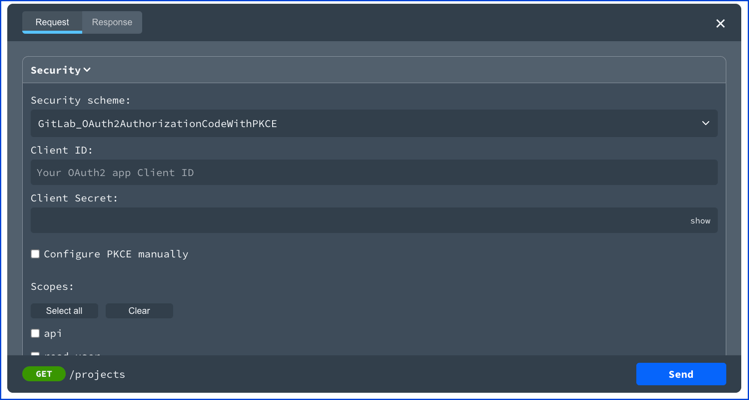
If the manual configuration is not disabled, then a user can toggle the "Configure PKCE manually" to edit the code verifier and code challenge. Use the disableManualConfiguration on the x-usePkce object to disable manual configuration.

Client credentials displays a client ID and client secret field in Try it. Once the token is received, it is stored for the duration of the session. 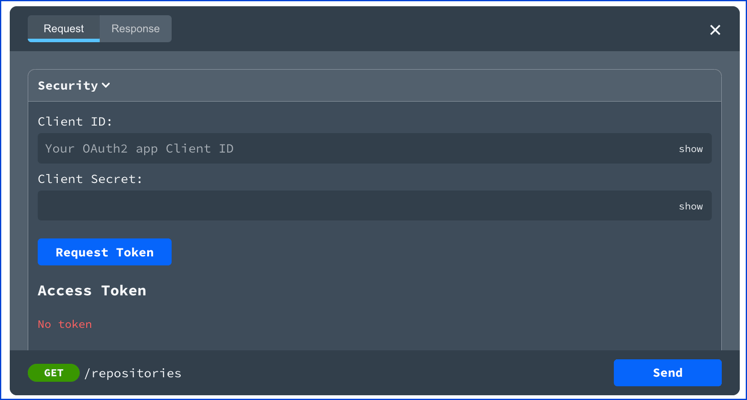
The implicit flow description. 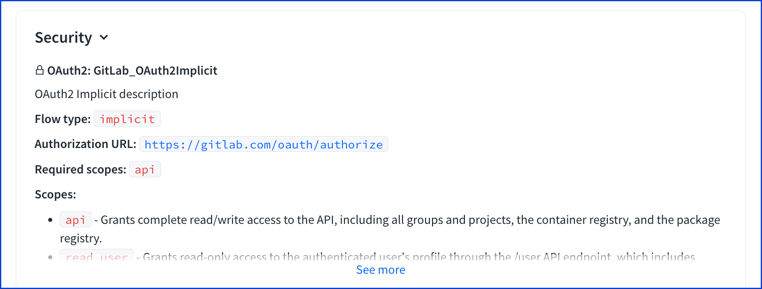
The implicit flow displays a client ID field in Try it.
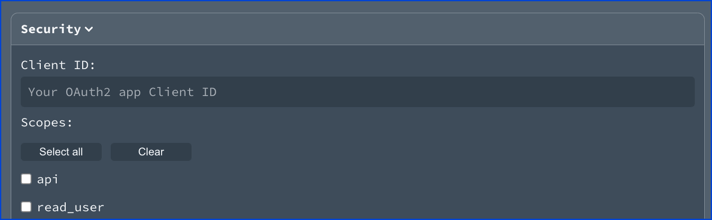
The password flow description. 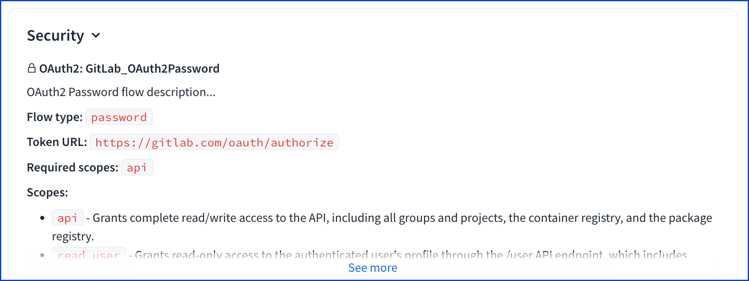
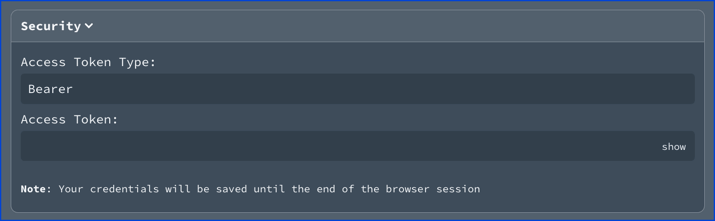
The password flow displays an access token type field and access token field in Try it. The access token type field is pre-filled with "Bearer" as the value.
OAuth2FlowsAuthorizationCodeClientCredentialsImplicitFlowPasswordFlow
const OAuth2Flows: NodeType = {
  properties: {
    implicit: 'ImplicitFlow',
    password: 'PasswordFlow',
    clientCredentials: 'ClientCredentials',
    authorizationCode: 'AuthorizationCode',
  },
};
const AuthorizationCode: NodeType = {
  properties: {
    refreshUrl: { type: 'string' },
    authorizationUrl: { type: 'string' },
    scopes: { type: 'object', additionalProperties: { type: 'string' } },
    tokenUrl: { type: 'string' },
  },
  required: ['authorizationUrl', 'tokenUrl', 'scopes'],
};
const ClientCredentials: NodeType = {
  properties: {
    refreshUrl: { type: 'string' },
    scopes: { type: 'object', additionalProperties: { type: 'string' } },
    tokenUrl: { type: 'string' },
  },
  required: ['tokenUrl', 'scopes'],
};
const ImplicitFlow: NodeType = {
  properties: {
    refreshUrl: { type: 'string' },
    scopes: { type: 'object', additionalProperties: { type: 'string' } },
    authorizationUrl: { type: 'string' },
  },
  required: ['authorizationUrl', 'scopes']
};
const PasswordFlow: NodeType = {
  properties: {
    refreshUrl: { type: 'string' },
    scopes: { type: 'object', additionalProperties: { type: 'string' } },
    tokenUrl: { type: 'string' },
  },
  required: ['tokenUrl', 'scopes'],
};