Redocly platform's deployment process has a Lint step that performs scorecard tests and validation of API description files in your project. This step relies on the scorecardClassic configuration.
The Lint step focuses on API descriptions and configuration files. It does not validate Markdoc or Markdown syntax. Content syntax errors, such as unclosed tags, are typically caught during the Build step.
Scorecard tests API description files against built-in or custom rulesets. These rulesets help maintaining quality across your existing APIs and ensure that newly-added or updated APIs match your criteria. Your project can include multiple sets of rules, corresponding to different quality levels.
When new quality criteria arise, you can add more levels to reflect the evolving standards. There is no limit to the number of levels you can have.
You can set up a baseline ruleset and prevent APIs that do not meet this standard from publishing to your production project.
After you define the rules for the API scorecard, reports display in Redocly and on your production project. If you have versioned APIs, each version displays as a separate row. Reports show if an API description file complies with the applied rulesets.
You can view scorecard reports on Redocly's Deployments page. Choose a preview or production deploy and click it to open its status page. Under Summary, click Lint to display the report.
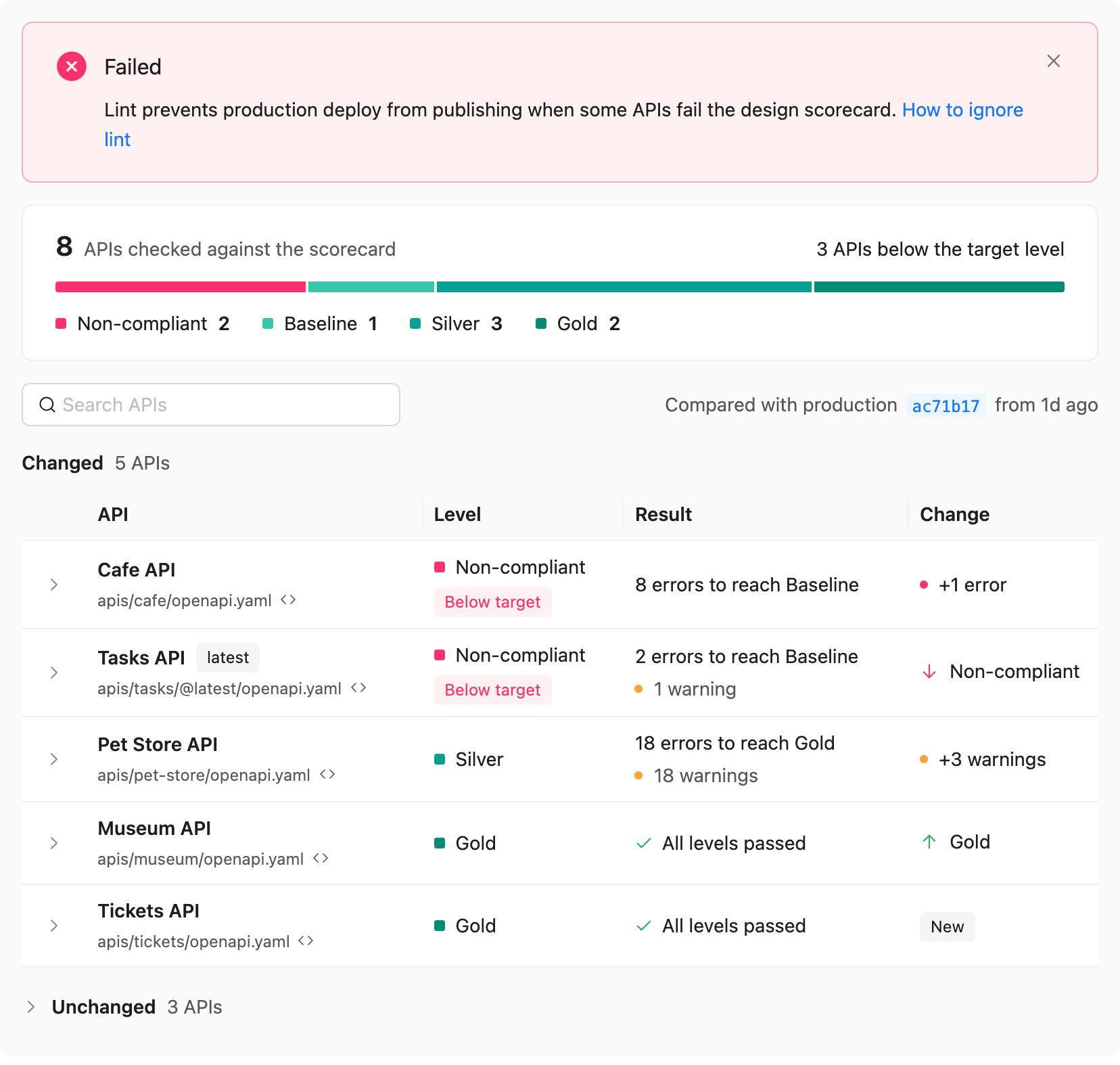
The report starts with a summary of how many APIs reached each scorecard level. Below the summary, the Changed section lists the APIs whose results differ from the latest earlier production deployment with lint results. The Change column describes the change: a new API, a different level, or more or fewer problems. The note next to the search field names the production deployment the report compares with. APIs with unchanged results are collapsed in the Unchanged section.
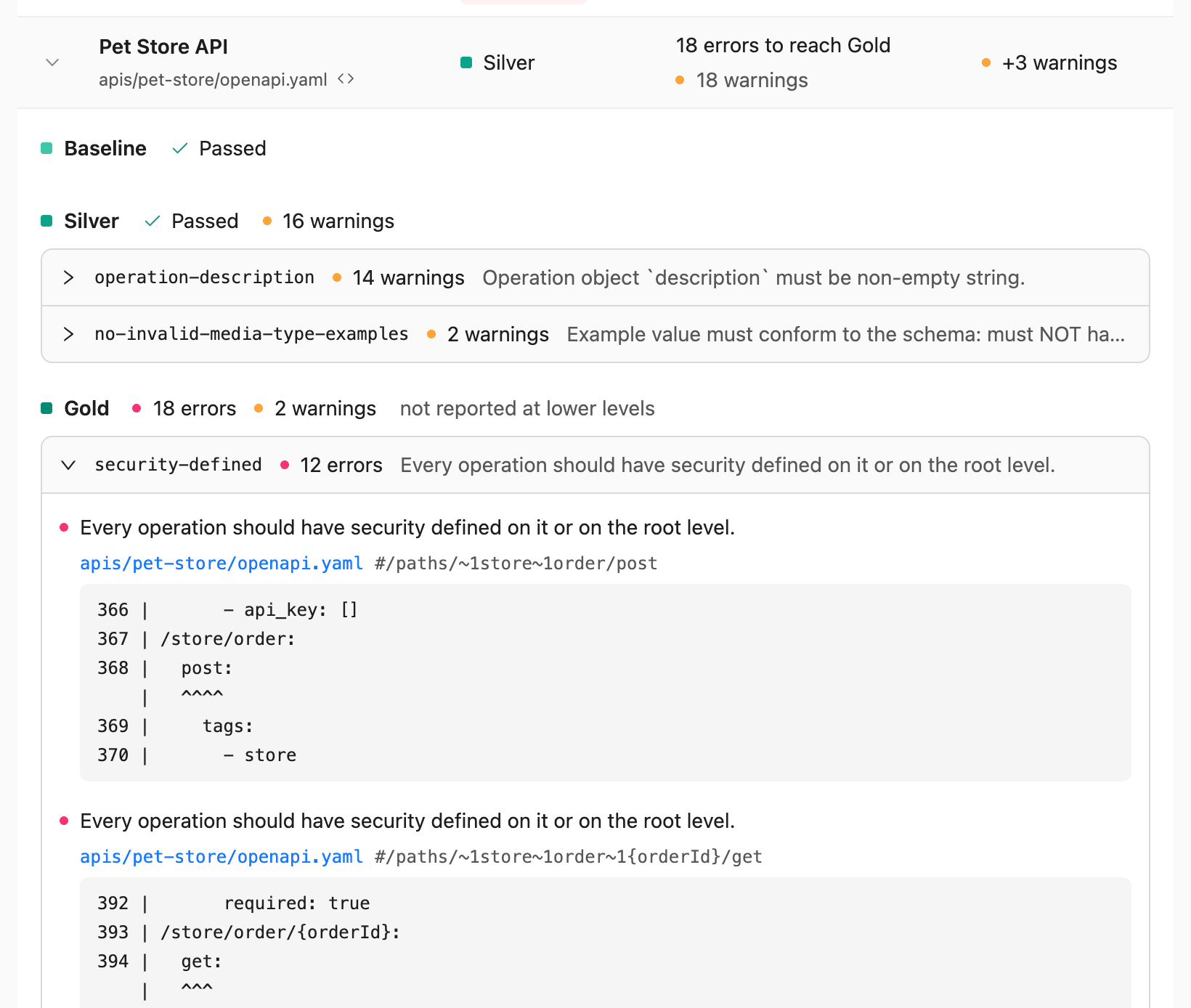
Expand an API to display each scorecard level with its result and its problems. Each problem is listed once, under the lowest level that reports it, and rules with errors come before rules with warnings only. To open the API description file in the editor, click the Open in editor icon next to the file path.
If your project uses lint rules without scorecard levels, the report shows whether each API passed or failed instead of a level. If lint is not set up, the report shows a configuration snippet to copy into redocly.yaml.
If you have an open pull request, you can access the same report by opening the pull request, selecting the Checks tab, and clicking Lint.
After you define scorecard levels and commit the changes, labels representing the scorecard levels display. They appear next to the names of your API descriptions in Redocly and on your published project.
- Ignore the link checker - Set Redocly CI/CD jobs to ignore broken links
- Configure classic scorecard - Add Redocly built-in or custom rulesets to classic scorecards for comprehensive API quality assessment and tracking
- Classic scorecard configuration reference - Complete reference for
scorecardClassicconfiguration options and customization settings - Classic catalog configuration reference - Complete reference for
catatlogClassicconfiguration options and customization settings