
One concern that our users have is that they are missing a "data dictionary" for our API objects. For example, in our old API reference documentation, we have a section that I can link to that provides the values and descriptions for an object. Is there a way to configure Redocly to present object value/definition information more directly? I know I can browse down into the body parameter and response definitions for each endpoint.
The "data dictionary" refers to schemas in OpenAPI.
People have asked about this feature fairly often over the years. The implementation in our product is quite raw and dates back a few years. It's hard to use and tedious if you want to display multiple schemas or organize them neatly.
<SchemaDefinition schemaRef="#/components/schemas/Planet" />
This could be added to any tag or info description and the corresponding schema would display. This is fine if you want to render one schema in a one-off way. However, this approach isn't good if you want to display your entire data dictionary.
So how could Redocly improve this further?
Two divergent approaches seemed valuable to implement:
- Display all of the schemas in a sidebar group.
- Display schemas grouped with their operations (like how Stripe does it).
Use the feature schemaDefinitionsTagName to group all of the schemas together. They display with a tag name that appears in the sidebar.
This is a configuration setting to place into your Redocly configuration file:
redocly.yaml
theme:
  openapi:
    schemaDefinitionsTagName: Schemas
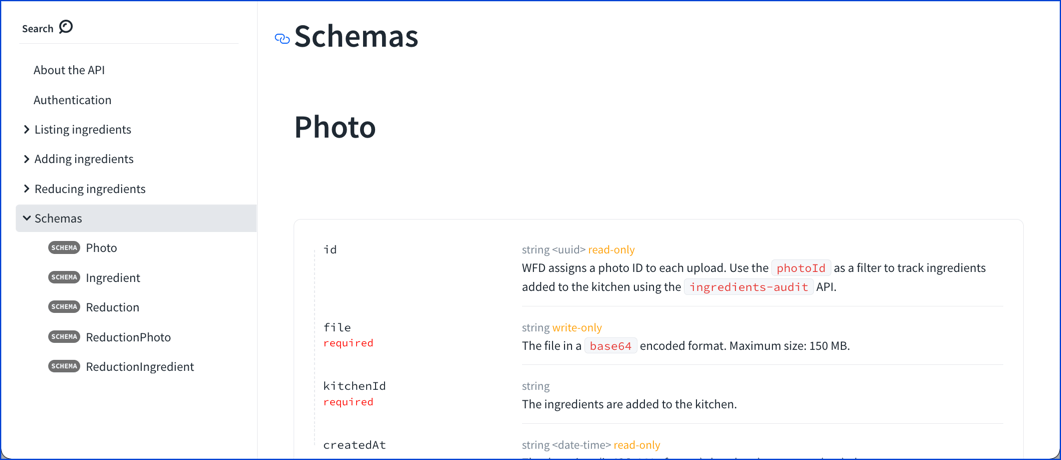
Use x-tags specification extension to tag specific schemas with the tag names that should appear in the sidebar. You can have a single schema appear multiple times.
compomnents:
  schemas:
    Ingredient:
      x-tags:
        - Listing ingredients
        - Adding ingredients
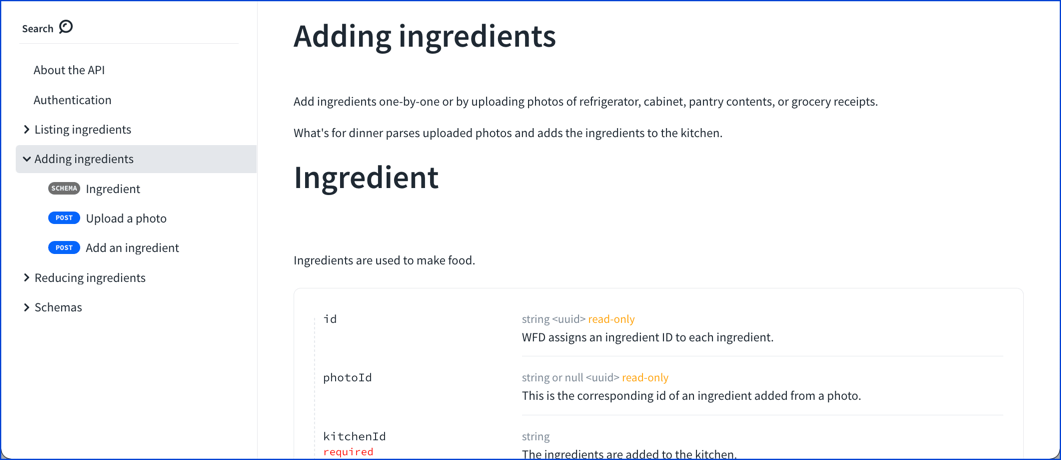
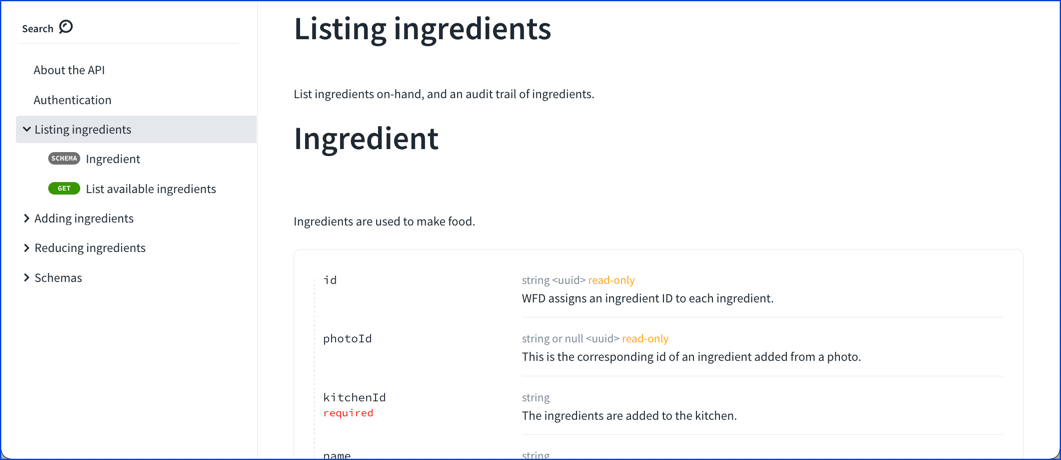
It's important to note that these features shipped in the Developer portal 1.1.0-beta.95. If you're using a prior version, update it to take advantage of this feature.
Schemas don't need to be displayed outside of operations' request or response descriptions very often. In case they do, Redocly offers two main options for that:
- display all of the schemas together using
schemaDefinitionsTagName; or - tag specific schemas to display alongside operations with
x-tags.
If you found this helpful, please share it on social media and let us know (tag @Redocly).