Draft mode lets you validate a Reunite project in a production environment before you publish it for your end users.
While a project stays in draft mode:
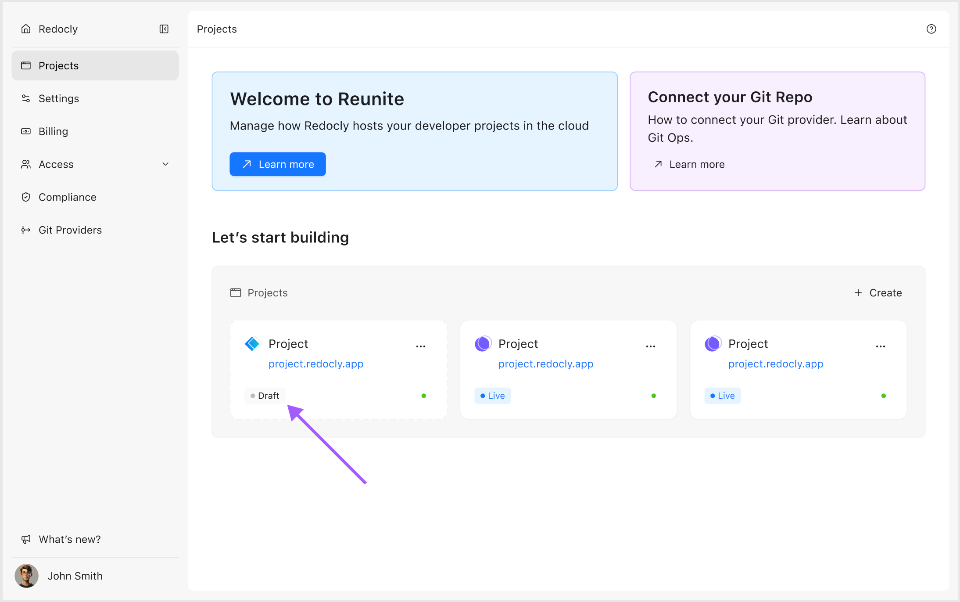
- Reunite marks the project with a Draft badge.
- Deployment URLs require users to log in before they can open them.
- The production deployment runs at a lower scale.
Draft mode protects deployment access while the project remains in draft mode. If you still need restricted access after you go live, configure access controls before you remove draft protection.
Draft mode changes both access behavior and production deployment behavior. You can see which builds are in draft mode on the Deployments page.
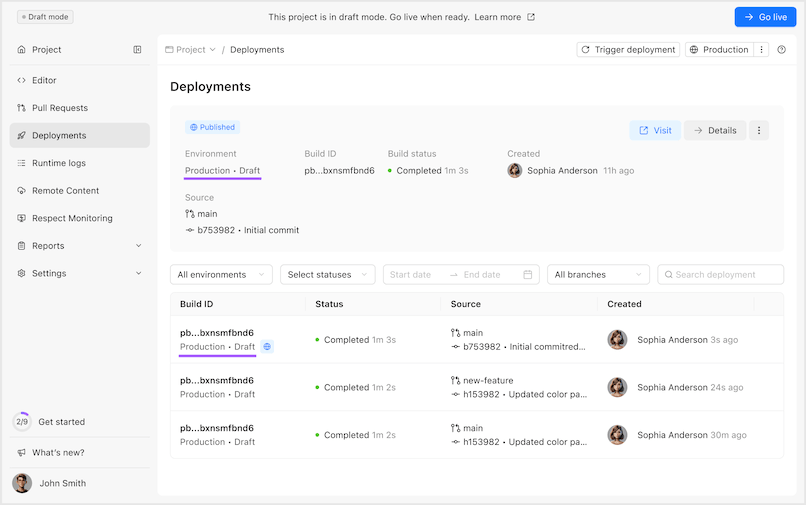
Each deployment created while the project is in draft mode is labeled with a Draft badge. Because draft mode protections are embedded into the deployment artifact, these deployments maintain their draft status and access protection even after the project goes live.
Access to draft deployment URLs requires users to log in.
After your project goes live, earlier draft deployments existing in Reunite still retain access protection.
If you configure your own RBAC settings in redocly.yaml, they take priority over the default draft mode login protection. For example, you can explicitly grant read access to the anonymous team in your RBAC configuration. Your draft deployments can then be publicly accessible even while the project is in draft mode.
The production deployment for a draft project runs as a single instance instead of using standard high-availability production scaling. This makes draft mode useful for controlled review and internal validation before you switch the project to normal live deployment behavior.
Before you click Go live, review the following:
- Who can view the project after you remove draft protection.
- Whether you need to review or configure site access for the project.
- If your production branch and deployment settings are ready for a live deployment.
- If your content, API descriptions, and custom domain settings are ready to reach external users.
The Go live action cannot be undone. Once you publish the project, it cannot be returned to draft mode.
The Go live button is available only for users with the OWNER organization role, or members with the admin project role.
When draft protection is removed, Reunite stops applying draft-mode login protection to new deployments. The project might have to stay limited to specific users after you go live. In that case, add a login requirement, or configure RBAC and review your project access settings before you continue.
To publish a draft project:
- Open the draft project in Reunite.
- In the editor banner, click Go live.

- Confirm the action in the modal.
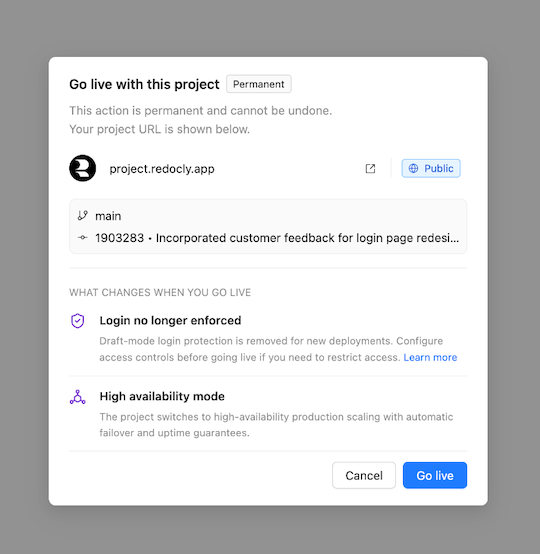
Reunite starts a new production build for the project and removes draft mode from this and future builds. You can then track this build on the Deployments page.
The project switches to high-availability production scaling.
- Deployments - Track the new build after you click Go live
- Manage projects - Create, configure, and organize projects in Reunite
- Branches and deployments - Configure production branches, branch deployments, and preview behavior
- Control site access - Understand authentication, authorization, roles, teams, and how they affect who can view your project and content
- Roles and permissions - Learn how organization and project permissions affect access to project actions